Personal Budget Approvals Process (Odoo)
Overview
If you need to replace peripherals at work, use your Personal Workplace Budget, want to use your Hardware (Personal Notebook) Budget, want to submit a request for employer-paid Individual Education, or are organizing a paid Team Event, you can request this in Odoo. The Approval App in Odoo is used for this purpose.
If you have any questions or need clarification on the approval process, reach out to PeopleOps regarding education budget and team events or Finance Operations concerning hardware budget and the replacement of peripherals.
Steps
Enter the Approval App in VSHN Central
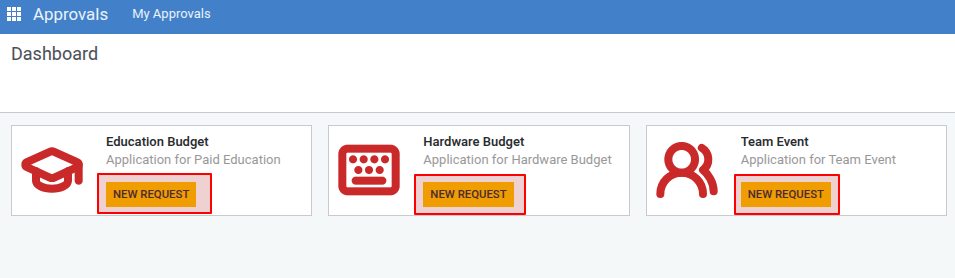
Select 'NEW REQUEST' button on the corresponding application.
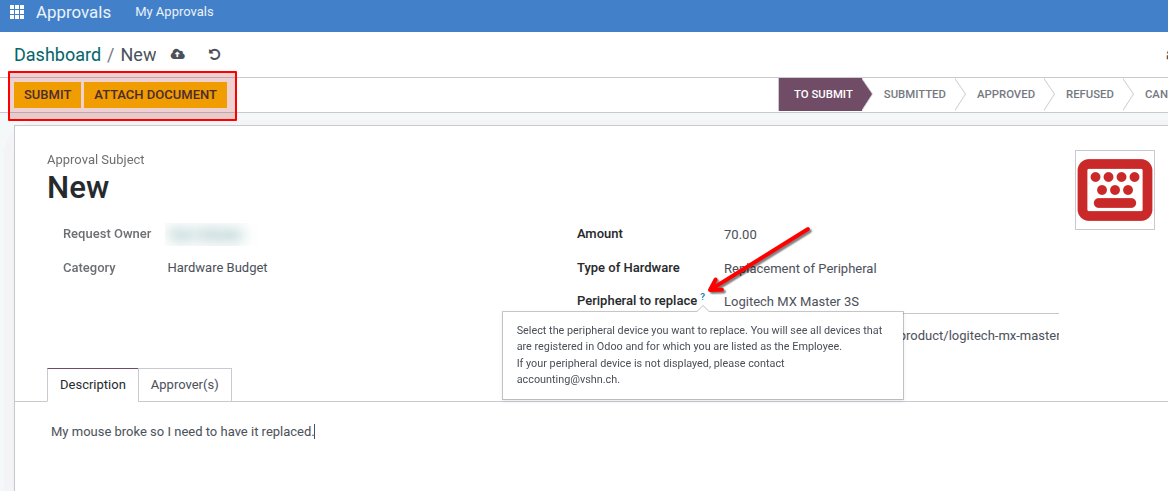
Fill in the fields. If anything is unclear, you can click on the question mark next to the respective field to get further help.
Upload supporting documents by clicking on "ATTACH DOCUMENT".
Complete the application by clicking on "SUBMIT".
The assigned approvers will receive your request and will either accept or reject it.
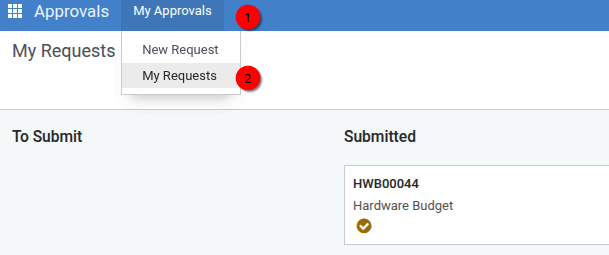
To check the status of your requests, you can click on My Approvals → My Request at any time.
If the costs are approved and paid for personally, you can claim them as expenses as usual (Expenses)